Your words, kept close
Save, read, search, and export your journal without a Membership. Local journaling does not require cloud AI.
How privacy works OnirynGet Oniryn
 A dream journal for iPhone
Keep the dream before it fades. Speak or write what you remember, then return to the details that make it yours.
Download on theApp StoreFree local journaling. Optional paid Membership.
Step inside Oniryn
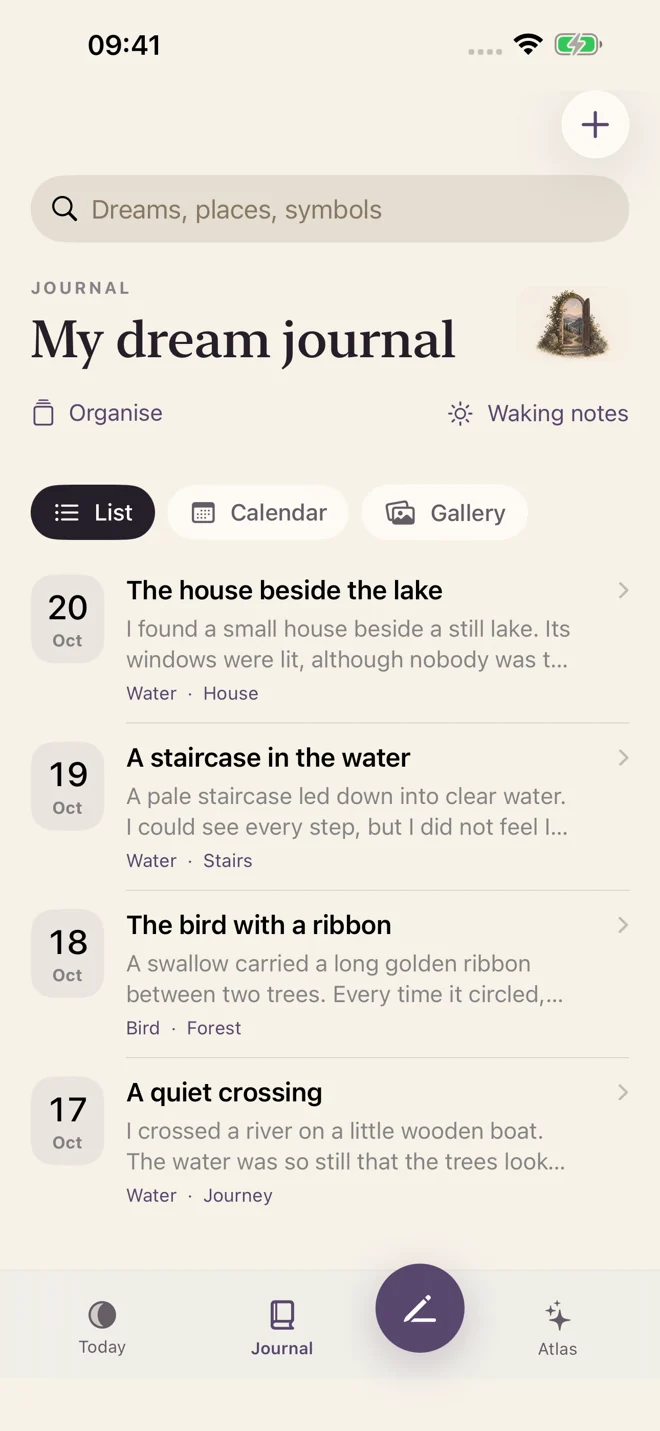
What Oniryn does
Not a score to improve. Not a puzzle with one right answer. Just a place to save a fragment, revisit a feeling, and build a journal in your own words.
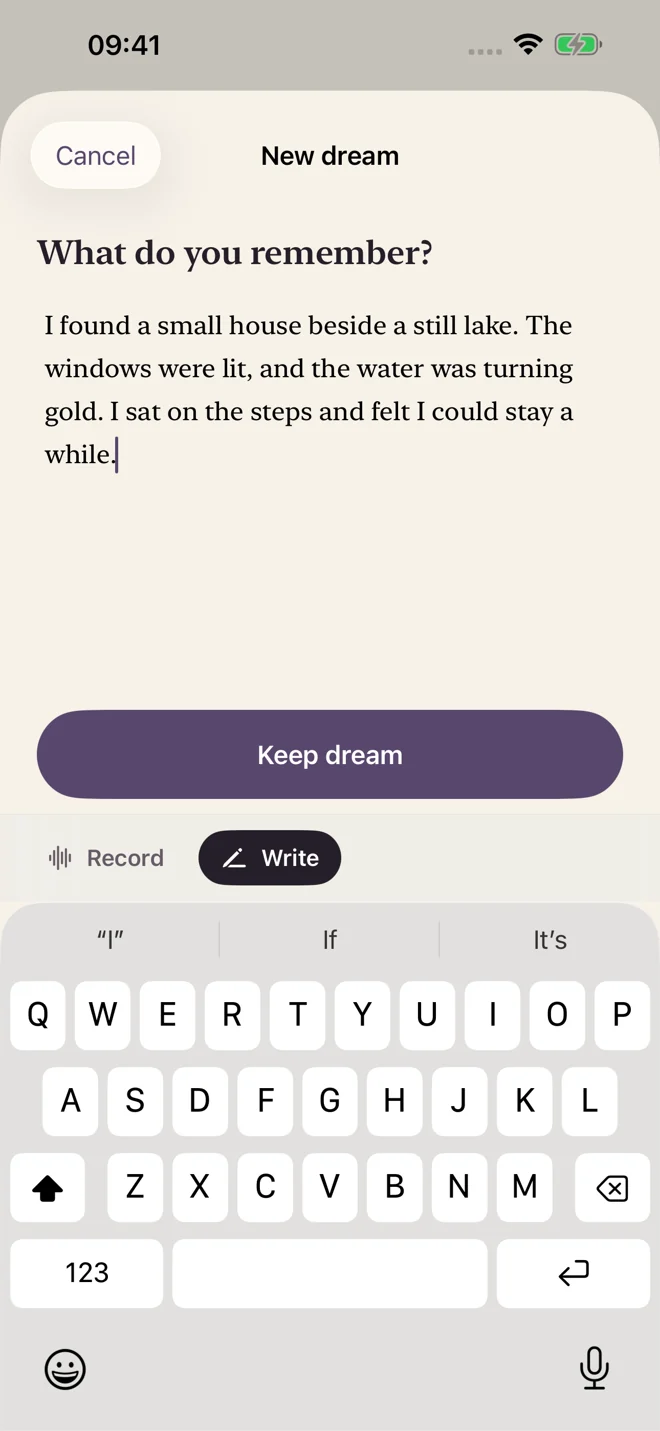
How it works
A place. A person. One strange detail. Write it down or use voice capture while it is still close.
Read your saved dreams, add your own thoughts, and find a detail you want to return to.
Optional cloud reflection and artwork offer another way to explore. Your original words always come first.
Inside your journal
Room for your words, the things that return, and the images you choose to keep.
Save, read, search, and export your journal without a Membership. Local journaling does not require cloud AI.
How privacy worksExplore possible connections instead of fixed symbol meanings. Cloud AI is optional; continuing use requires Membership.
About dream reflectionChoose optional artwork inspired by a selected dream. Cloud generation only begins with your permission.
What you choose to share
A look at what’s next
Version 1.0.1 adds continuing dream conversations. It is awaiting Apple review. The journal screens shown here preview that release; the App Store currently offers version 1.0.
Who it’s for
You do not need a complete story to begin. A few words are a journal entry.
Build a record you can revisit, rather than reaching for a universal dream dictionary.
Keep local journaling separate from optional cloud features. No public feed. No need to share.
Start here, even without the app
Write a first entry in your browser, then download it as plain text.
Free toolA simple, printable routine. No promise that every dream will return.
Journaling guideHow to start a dream journal without turning it into homework.
Before you begin
A dream journal is a record of what you remember from dreaming. “Dream diary” is another name for that kind of record, not a different required method. Begin with a place, a feeling, or one sentence. You do not need a complete story. Read the first-morning guide or try the free template.
Yes, Oniryn offers voice capture as well as writing. Version 1.0.1, awaiting review, updates transcription to run strictly on-device using Apple speech models. A model download can need internet; unsupported devices or languages retain audio so you can retry or write. This updated transcription behaviour is not a claim about version 1.0.
Local saving, reading, searching, and exporting are free. One successful cloud reflection is available as a preview; continuing cloud AI needs optional paid Membership. Current limits are 20 cloud reflections a day and 300 a calendar month, plus 3 artwork generations a day and 30 a month, using UTC. Shared service limits can also pause requests. See the terms; pricing is shown before purchase.
Continuing conversations are coming in version 1.0.1, pending Apple review. With your permission, the selected dream and its replies go through Oniryn’s Cloudflare service to OpenAI. The conversation can offer questions and possible connections, not a diagnosis or a definitive meaning. AI processing is not end-to-end encrypted. Understand the boundaries.
No. A recurring image is something you can notice in your own record, not proof of a universal meaning. Atlas brings together personal topics and keepsakes; it is not a symbol dictionary. Reflections are subjective creative prompts, not therapy, predictions, or psychological advice.
The journal starts on your device. Optional cloud reflection sends selected dream text and any context you choose to share to Cloudflare and OpenAI. Artwork does not send your photos, recordings, or whole journal. Cloud features require your permission. Read the full privacy policy for processing and retention details.
Yes. Export to a destination you choose. For a PDF, check the export formats in your installed version before relying on a particular workflow; a readable export is not the same as an encrypted recovery archive. Optional encrypted sync encrypts your archive on-device before storing it in Cloudflare R2; it is separate from AI processing. Keep your recovery key privately—we cannot recover it. The current archive limit is 128 MB. Device backups depend on your own settings. See data and backup choices.
Yes. You can keep saving and reading locally without choosing cloud AI. Declining cloud features does not require a journal account or Membership. If you have used AI, you can stop making new cloud requests; that cannot undo processing of a request already sent. Saved results and optional encrypted sync are separate choices. Read retention and deletion options, or contact support for help with service records.
No. The version 1.0.1 preview includes an optional Face ID or device-passcode lock; that release is still awaiting Apple review. Device authentication controls access, and Oniryn does not receive biometric data. It does not make optional AI processing end-to-end encrypted. Keep the device lock, optional encrypted journal sync, and chosen cloud AI requests distinct.
Oniryn is available on the App Store and requires iOS 18.0 or later. The current public version is 1.0. Screenshots here preview 1.0.1, which is awaiting Apple review. Feature availability, including on-device transcription, can depend on your device and language. Check the App Store listing for compatibility and availability in your region.
A place to begin
Your next entry can be one sentence.
Download on theApp StoreFor personal reflection, not medical or psychological advice.